Parking Reminder Guide
How to Set a Parking Reminder Before Your Time Runs Out
You park, check the meter, and think, “I’ll remember to come back before it expires.”
Then lunch runs long, the meeting doesn’t end on time, or you stop at one more store. Suddenly you’re checking the clock and wondering how much parking time you have left.
The easiest fix is to set a parking reminder as soon as you park. Don’t set it for the exact moment your parking expires. Give yourself enough time to finish what you’re doing, walk back to the car, and deal with any delay along the way.
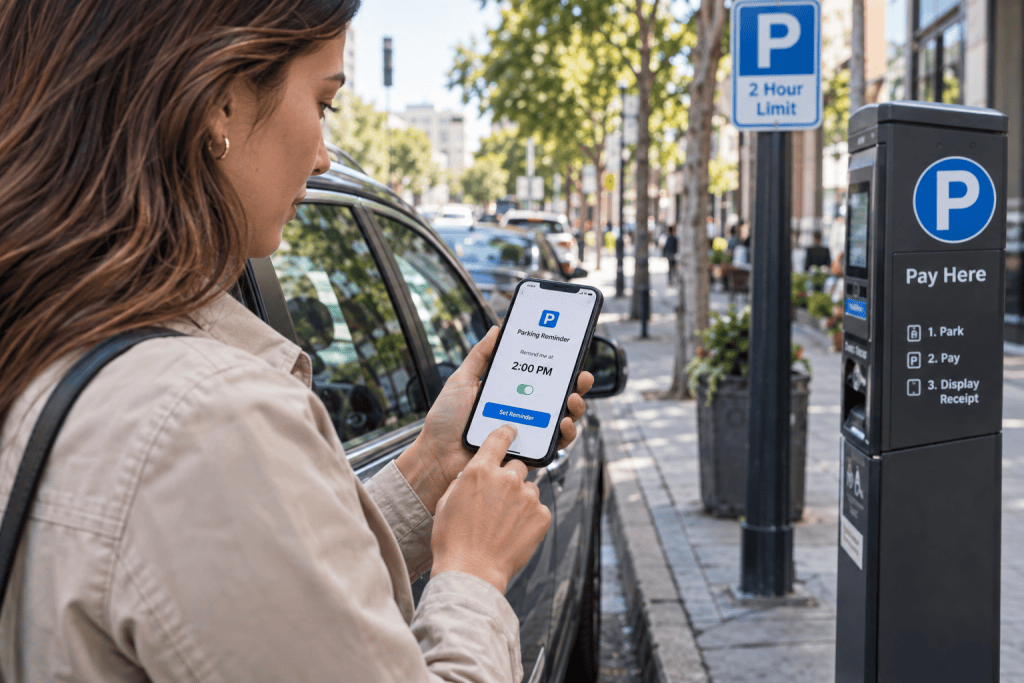
The Simple Way to Set a Parking Reminder
You don’t need anything complicated.
First, note when your paid parking ends.
Then work backward based on how long it will take you to get back to the car.
Pick a reminder time that makes sense for your location. If the car is a ten-minute walk away, a two-minute warning probably isn’t very useful.
That’s really the whole idea behind a good parking time reminder: remind yourself while you still have time to do something.
Check When Your Parking Actually Ends
Start with the exact time, not a rough guess.
If your meter says your parking ends at 3:00 PM, use 3:00 PM.
If you entered a garage at 12:17 PM and you’re watching an hourly billing period, note 12:17 rather than just thinking, “I parked around noon.”
That little difference matters more than you might think.
“Around 1:00” can easily become 12:47 or 1:13 in your memory a couple of hours later.
Don’t Set the Reminder for the Exact Expiration Time
This is probably the biggest mistake.
Your parking expires at 3:00 PM, so you set an alarm for 3:00 PM.
The alarm goes off while you’re still inside the restaurant.
Now you’re already late.
A useful parking reminder should go off before the deadline.
How early depends on where you are.
Useful if the car is very close and you’re ready to leave.
A practical choice for shopping, restaurants, or a short walk back.
Better when you’re in a large building, airport, mall, or distant garage.
The goal isn’t to find one perfect reminder time.
It’s to give yourself a realistic buffer.
Include the Walk Back to Your Car
This one is easy to forget.
Leaving the store at 2:59 PM doesn’t help much if your car is eight minutes away.
Think about when your vehicle actually needs to be back within the paid period, not just when you need to stop shopping.
A more realistic calculation:
3:00 PM — parking expires
10 minutes — walk to the car
5 minutes — finish checkout
2:45 PM — useful reminder time
3 Easy Ways to Set a Parking Reminder
Use whatever method you’ll actually remember to use.
Phone Alarm
Probably the quickest option. Check your expiration time and set an alarm several minutes earlier.
Best for: occasional parking
Parking Timer
Start a parking timer when you leave the car and keep an eye on how long you’ve been parked.
Best for: hourly parking
Parking Reminder App
A dedicated parking reminder app can track the session and handle reminders specifically around parking.
Best for: people who park regularly
A Parking Reminder Is Especially Useful When You’re Busy
Parking time usually isn’t hard to remember when you’re sitting in the car.
The problem starts after you leave it.
You’re having lunch.
You’re in a doctor’s office.
You’re shopping.
You’re watching a movie.
You’re in a meeting that should have ended ten minutes ago.
That’s exactly when a parking time reminder earns its keep.
You don’t need to keep thinking about your car. You just need something reliable to bring parking back to your attention before time gets tight.
What If You’re Watching the Next Parking Fee Instead of an Expiration Time?
Sometimes you’re not dealing with a meter that simply expires.
You may be in a garage where another billing period begins after a certain amount of time.
In that case, the reminder can work the same way.
Suppose another hourly parking fee may begin after two hours.
Instead of waiting until the two-hour mark, set your reminder 10 or 15 minutes earlier.
12:00 PM
2:00 PM
1:45 PM
That gives you time to decide whether you want to leave, extend your parking if allowed, or stay and accept the next charge.
Built for Parking Reminders
If You Do This Often, ParkGrace Can Make It Easier
A normal alarm works fine if you only need a reminder once in a while.
If parking is something you deal with regularly, a dedicated parking reminder app can save you from setting everything up from scratch every time.
ParkGrace is designed around parking sessions.
It can help you track your parking time, estimate your parking cost, and send a parking fee reminder before the next configured threshold approaches.
It can also use automatic parking detection methods to reduce the chance that you forget to start tracking the session in the first place.
1h 45m
15 min
Enabled
Useful ParkGrace Features for Parking Reminders
Parking Timer
Keep track of how long your current parking session has been running.
Parking Fee Alerts
Get a reminder before a configured parking fee threshold approaches.
Departure Reminder
Plan when you want to leave instead of waiting until parking time is almost over.
Automatic Parking Detection
Use supported detection methods to help identify when a parking session may have started.
ParkGrace doesn’t control parking meters, parking operators, or local parking rules. The reminders are there to help you stay aware of your own parking session.
Here’s What a Good Parking Reminder Looks Like in Real Life
You park at 1:00 PM.
Your paid parking ends at 3:00 PM.
You’re meeting a friend for coffee, and the car is about a ten-minute walk away.
Instead of setting the reminder for 3:00, you choose 2:40.
No rushing.
No checking the clock every five minutes.
And no sudden realization at 3:02 that your parking time already ran out.
Common Parking Reminder Mistakes
Parking Reminder FAQ
Related Parking Guides
Set the Reminder Before Parking Time Becomes a Problem
Use ParkGrace to track your parking time and get a reminder before your next configured parking threshold approaches.